

Gemini Omni: what it makes, where to use it, and what each route costs
Gemini Omni is Google's video model: it makes clips with sound from text, reference images or an uploaded video, and you edit the result by describing the change. You can use it three ways. In Google Flow it is free up to 50 credits a day (an 8-second 720p clip is 24 credits). In the Gemini app, video needs a Google AI plan. Developers get it through the Gemini API. Clips run 3 to 10 seconds, up to 15 on some plans and in the API, at 360p or 720p, with 1080p and 4K upscales for subscribers. nixm charges per clip instead: one credit for an 8-second HD shot with its sound, and credits never expire.
What is Gemini Omni?
Google's developer page for it, Generate and edit videos with Gemini Omni Flash, describes the current version as "a multimodal model built for fast video generation, conversational editing, and cinematic control": it takes text, images and video together and returns video with its own sound.
Two versions are in use. Omni Flash 1.2 is the current one; the Gemini app calls it "Gemini Omni 1.2 Flash, our latest AI video generation model", and in the API it is gemini-omni-1.2-flash. Omni Flash 1.1 is on its way out: API requests to it switch to 1.2 on December 3, 2026, and Google Flow retires it on December 5, 2026.
Sources for this page, all checked November 16, 2026: Google's Generate videos with Gemini Apps, the Gemini Omni developer page above, and the Flow help pages on credits and models.
Where you can use it, and what each route costs
| Route | Who can use it | What it costs |
|---|---|---|
| Google Flow | Everyone, even without a subscription | 50 free credits a day; 3 credits a second at 720p |
| Gemini app | Personal accounts with a Google AI plan | Part of the plan |
| Gemini API | Developers | On Google's API pricing page |
How long a clip can be depends on the route:
- Flow: up to 10 seconds; 15 for Plus, Pro and Ultra subscribers, who also get Extend, 1080p upscaling and, on Ultra, 4K. In Flow, 360p costs 1 credit a second and plans add monthly credits.
- Gemini app: 3 to 10 seconds, up to 15 on Ultra; an edit can extend a video by up to another 10 seconds.
- API: 3 to 15 seconds, 10 by default; extensions can take a video up to 30 seconds in all.
In the Gemini app you can upload one video and up to five images as references, and ask Gemini to generate audio with your video. Video there is not available to users under 18, and uploading a video to edit is not available in the EEA, Switzerland, the UK and some US states. Flow's credits and plan prices are in Google Flow: what the free credits buy.
What it makes
- Sound by default. Audio is generated with the video and can be steered by the prompt. Voice editing and audio references are not supported, per the developer page.
- Resolution. 360p and 720p natively, with 1080p and 4K as upscales.
- Shape. 16:9 by default, or 9:16.
- References. Images as references, first and last frames, and an uploaded video to edit.
- Editing by talking. Describe the change and Omni updates the clip over several turns, keeping the rest of the scene.
- Watermark. Every video made through the API carries SynthID, an invisible watermark, per the developer page.
Gemini Omni vs Veo
Both are in Flow today. Veo 3.1 Quality costs 100 credits for an 8-second clip and is retired on December 5, 2026. Veo 3.1 Lite stays as the 10-credit 720p option, 5 on Ultra. Omni is the model Google is moving Flow to: priced per second, and it edits and extends, which Veo in Flow no longer does since Veo Extend was retired on November 5, 2026. Omni and Veo next to the other models are in the AI video generator comparison.
When pay-per-clip beats it
When you want finished clips without a daily allowance, a plan or an API key. nixm prices the clip:
- One video credit buys an 8-second HD shot with its own sound. 4K is two.
- Credits never expire, so nothing resets daily or monthly.
- A render that fails does not charge the video credit.
- No watermark on the video, free or paid.
- Cast a character from a photo, then direct scenes of 3 to 30 seconds with them, at one credit per 5 seconds.
- Join takes into one piece of up to two minutes.
Your first HD video with sound is free on a new account. Veo outside a Google account is covered in Veo 3 without a Google account. The other assistants that make video: Meta AI and Grok.
Where Omni wins, fairly: free daily use in Flow, editing by talking, and everything else in Google's ecosystem.

try it now · cinematic studio
cast one character. put it anywhere.
cinematic ai video, with sound. nixm proposes every scene before a credit is spent.
frequently asked
Is Gemini Omni free?
In Google Flow, yes, up to 50 credits a day, which is two 8 second clips at 720p. In the Gemini app, no: video there needs a Google AI plan.
How long can a Gemini Omni video be?
In Flow, up to 10 seconds, or 15 for subscribers. In the Gemini app, 3 to 10 seconds, up to 15 on Ultra. Through the API, 3 to 15 seconds, and extensions can take a video up to 30 seconds in all.
Does Gemini Omni make sound?
Yes. Audio is generated with the video by default and can be steered by the prompt. Voice editing and audio references are not supported through the API.
Is Gemini Omni the same as Veo?
No. Both are Google video models and both are in Flow, but Omni is priced per second and edits and extends clips, while Veo 3.1 Quality is retired from Flow on December 5, 2026.
Can I use Gemini Omni in the free Gemini app?
No. Making video in the Gemini app needs a Google AI plan on a personal account. Without a plan, Google Flow gives 50 free credits a day.
Does Gemini Omni video have a watermark?
Google says every video made through the API carries SynthID, an invisible watermark that can be detected for provenance.

Enter your email and receive a link to sign in. No passwords, just a secure signal to connect.
why connect
- 20 free credits to start
- your signals, remembered
- buy more credits anytime
- image & video generation features
defaults for new renders on this signal. collaborators see them read-only.
existing takes don't change
two signals. one mind.
most AI starts every conversation from zero. you arrive, explain yourself, refine, re-refine, watch the model drift back to defaults. five messages to reach one good answer. ten more to keep it on track.
nixm™ flips that. every nixm has two signals primed before you ever arrive — an intent signal that holds the mission, and a collab signal that holds the settings.
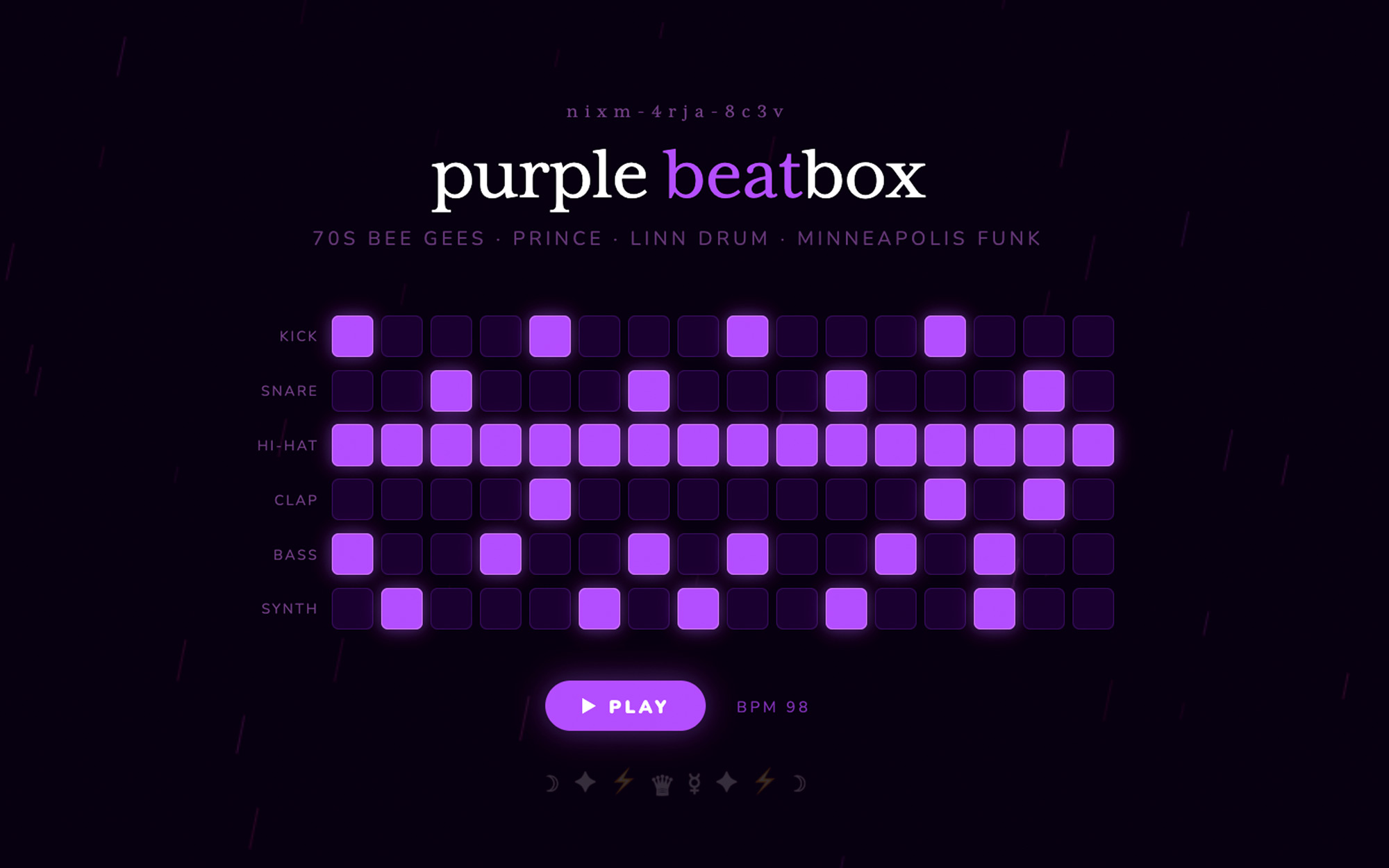
intent is what you're trying to make. build a beatbox. write a brand brief in editorial tone. visualize photosynthesis in 3d. that signal is locked from the moment the URL loads.
collab is everything else — constraints, voice, references, what to avoid, what to lean into. it's the producer's notes. the model isn't reading them when you arrive. they were already in the room.
you say one thing. nixm™ answers refined.
this is the difference. not the model — the model is interchangeable. the difference is that nixm™ hands the model a primed signal, not a blank room.
recent unlocks.
capabilities that surfaced from the lab. fresh frequencies, freshly tuned.
CAST
the same face, a new scene. most AI video forgets your character between clips — you describe her again and a stranger comes back. cast a character once, from a photo or a frame you rendered, name it, and it holds. then direct it anywhere: an alley at 3am, a desert at golden hour, two characters in one frame. 3 to 30 seconds, one shot or several, landscape or vertical — 1 video credit per 5 seconds, sound in the same pass. nixm shows you the shot and the price before it spends anything. holding a character across a whole sequence is its own craft — what continuity actually takes.
lip sync
a cast character that speaks. give her a line and the voice and the mouth come back together, in one pass. nothing recorded, nothing dubbed. lip sync works: a line you write is spoken on the character's lips. short lines fit an 8-second shot. two takes, and what seems to make the difference: what a spoken line does on nixm, from two clips.
cinematic studio
direct a single unforgettable frame. tell nixm a fragment — a character, a mood, a moment you half-see — and it casts the scene with you: lens, light, motion, the decisive instant. when the frame lands, set it in motion as a short clip. you bring the spark. nixm directs. if you have never done this before, the route from idea to finished clip is the place to start. if you came from sora, here is where to make video now.
stitch timeline
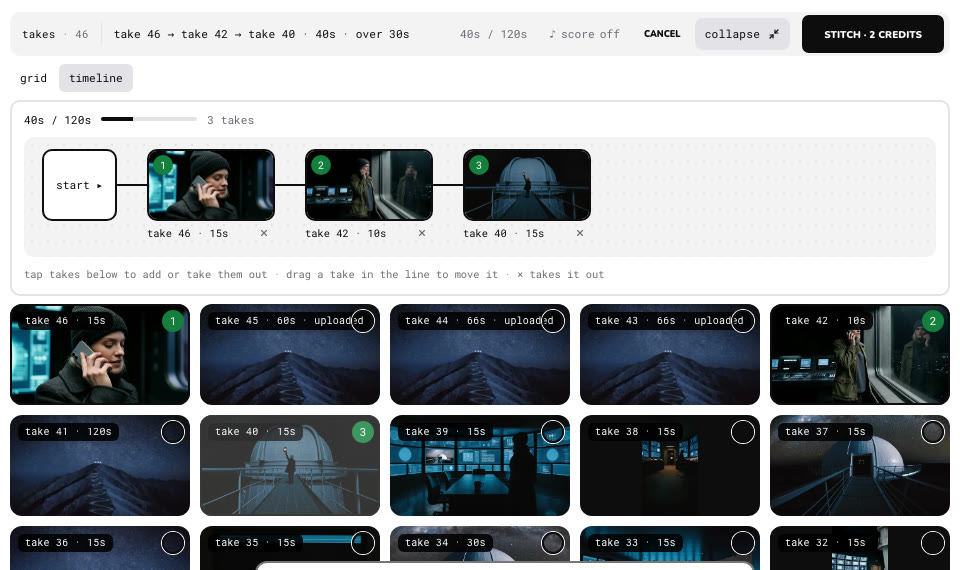
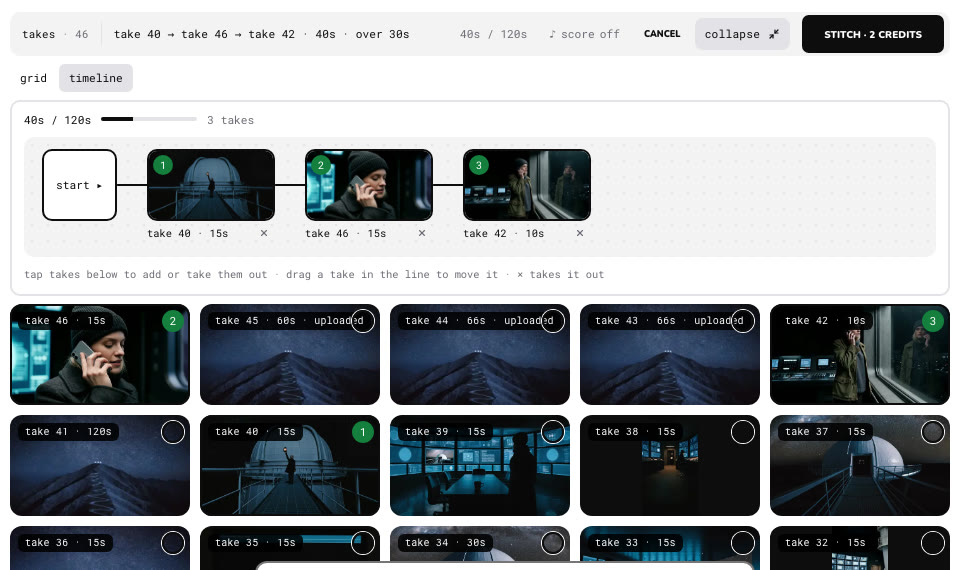
see the order before you stitch. open your takes with “all N”, switch to timeline, and tap takes to add them — each joins a wired line in the order you tap it. drag a take to move it, × takes it out. the line keeps the running length against 120s, and STITCH shows the price before anything is spent: 1 video credit per 30s, + SCORE one more. 2 to 8 takes, as with STITCH.
remix
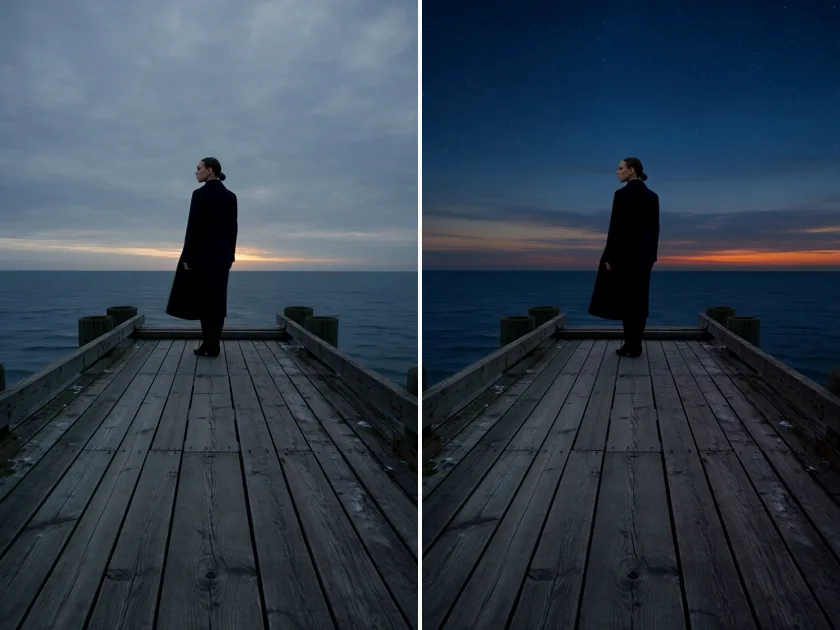
one take, changed by a sentence. open a take of 30 seconds or less and tap REMIX — beside DOWNLOAD, and under the newest take — then finish the sentence: what should change. "make it night." "add rain." the camera move, the framing, the timing and the sound stay; only what you named changes. it lands as a new take, and the original stays. or just ask: "remix take 4 so it's night". lettering on screen may not come out exact.
1 video credit per 5 seconds, plus 1 — a 5s take is 2, 8s is 3, 15s is 4, 30s is 7. a 4K take comes back in 1080p. charged only when it lands.
stitch
your takes, one video. on a signal with two or more takes, tap STITCH and pick 2 to 8 of them in the order you want — nixm™ joins them with hard cuts, each take keeping its own sound, everything framed to the first one, in HD. you see the length and the price before anything is spent: 1 video credit per 30s, up to 120s (4 credits). or just ask: "stitch take 3, 5 and 7". the originals stay; the stitch is a new take. + SCORE puts an instrumental score under it, cut to the length, dialogue kept clear — one more credit.
live
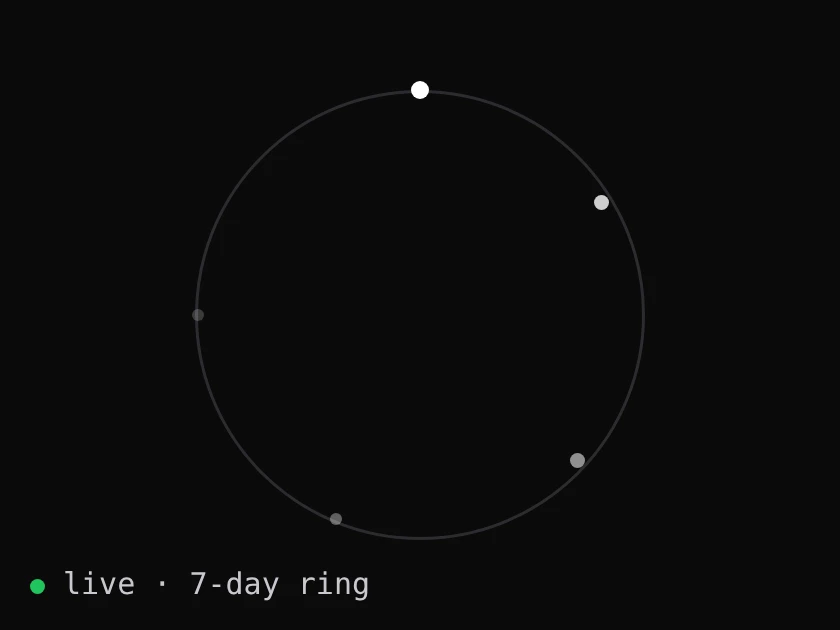
every signal, alive. each signal on nixm™ right now, as a point of light on a seven-day ring: born at the top, dissolving where it began. no names, no words, no owners. only how long each one has left.
web research
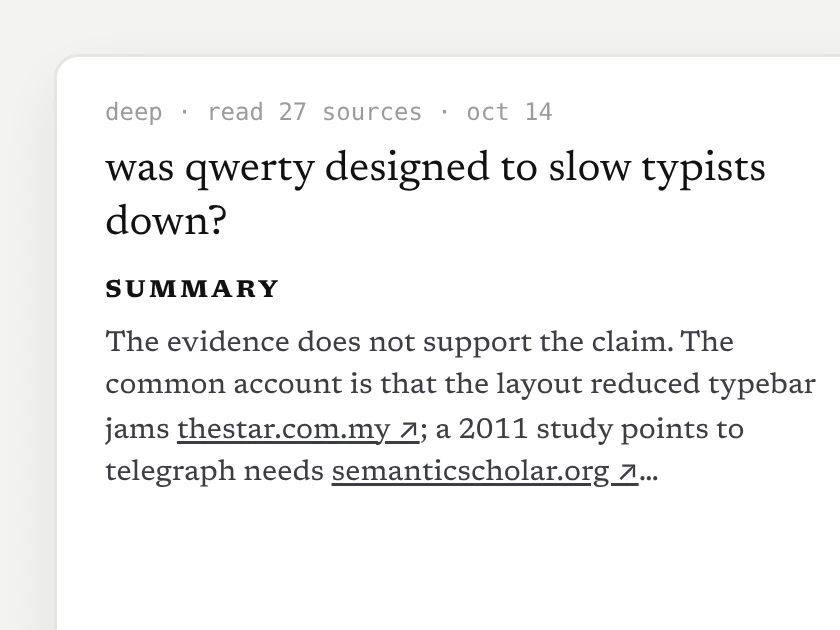
a researched doc, not a guess. ask nixm™ to look something up — or tap search the web when it's offered — and in about 10–15 seconds a short doc opens beside the chat: a direct answer, the findings, every source linked. it lands in the signal's research row, and nixm™ remembers what it found.
2 chat credits, charged only when the doc arrives. go deeper: a longer, sectioned report — 6 credits.
extend
eight seconds is where the shot starts, not where it ends. every finished clip now carries an EXTEND button — one press and the same shot carries on for about seven more seconds, one credit, no plan to join. press it again if it's still going somewhere. we cut the join down to about two tenths of a second by telling the model what it must not change; the writeup is in what extending a clip really does.
video gen
ask for a video, get a video. eight seconds, with its sound (a spoken line, ambience) in one pass. inline on mobile, side panel on desktop — expand, play, download. landscape, portrait, or square, detected from how you ask. HD or 4K — 1 video credit for HD, 2 for 4K. the sound is generated with the picture rather than added after — why that changes the result. how it compares with the rest of the field is in the best ai video generators of 2026.
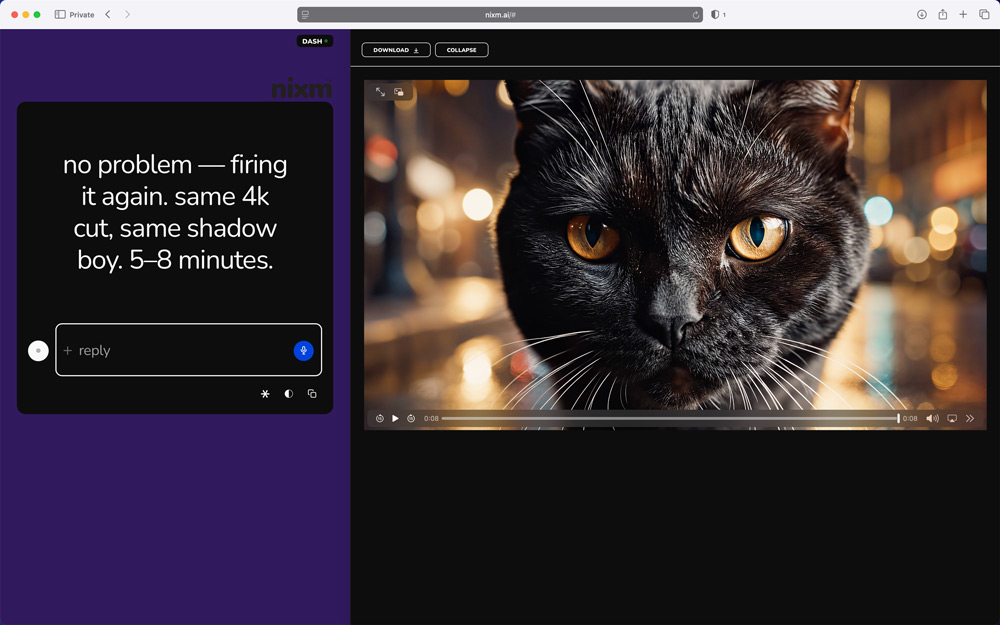
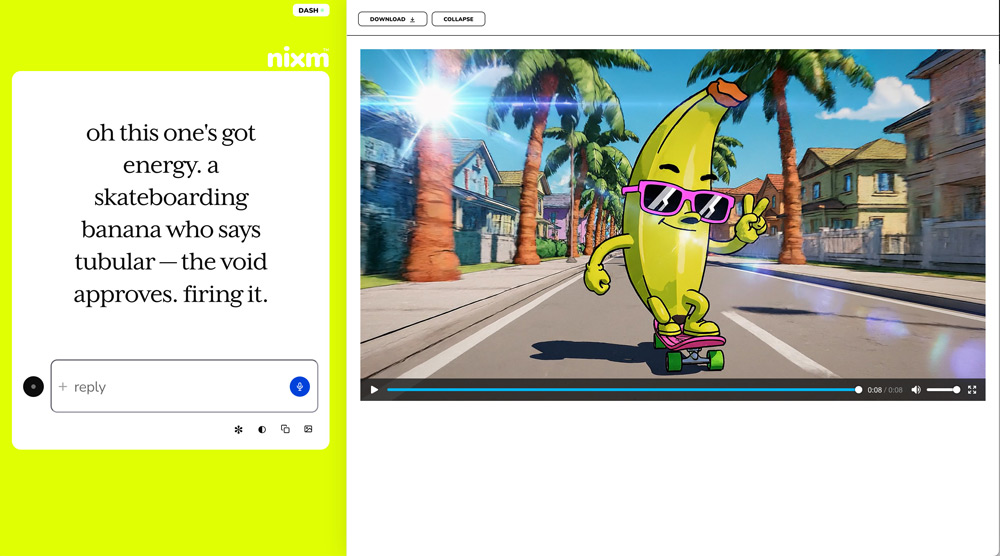
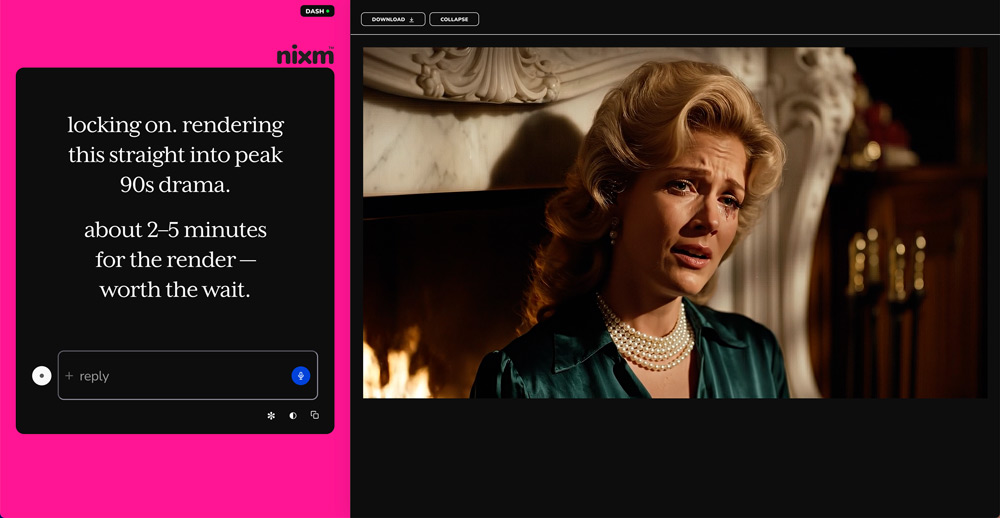
image gen
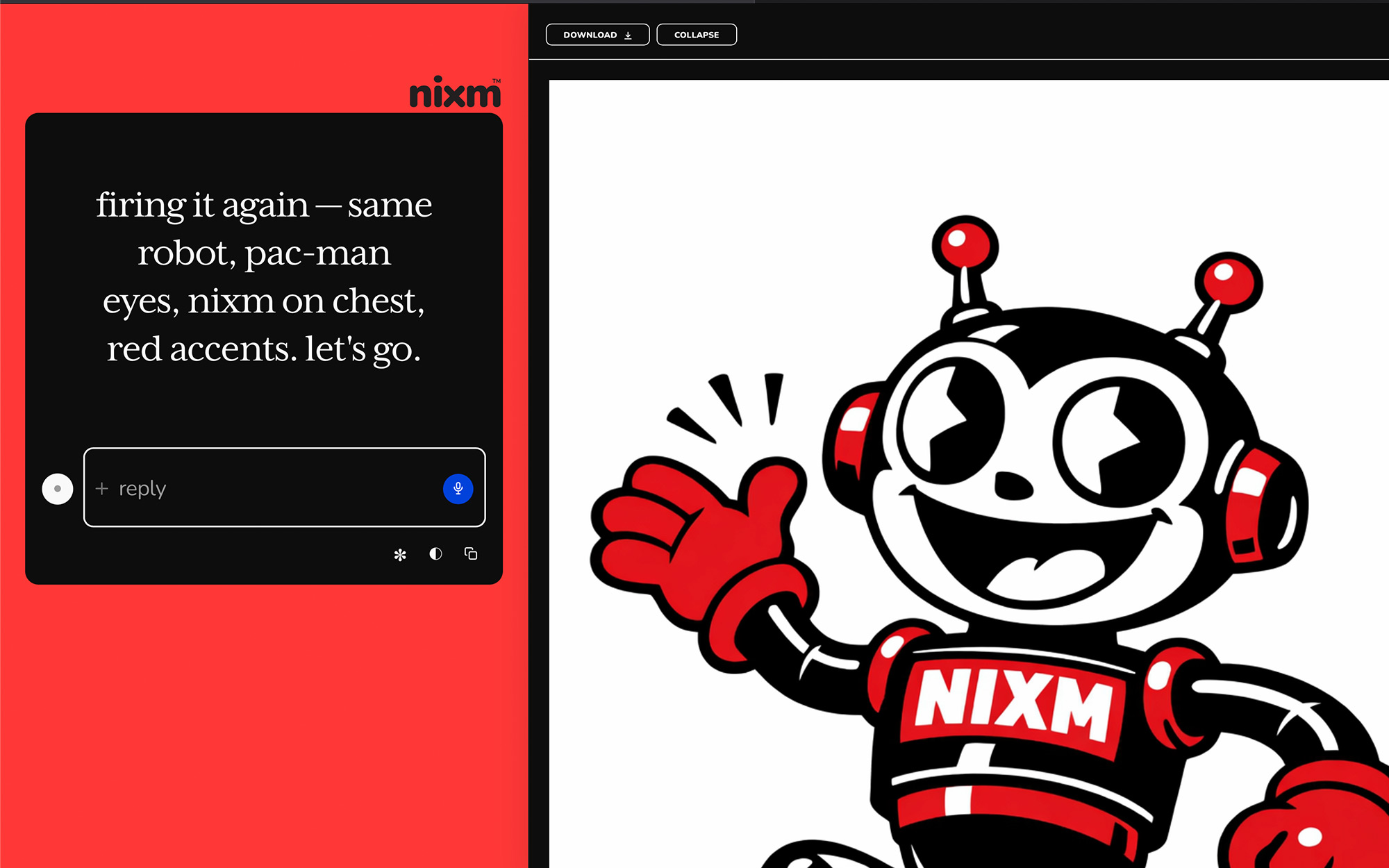
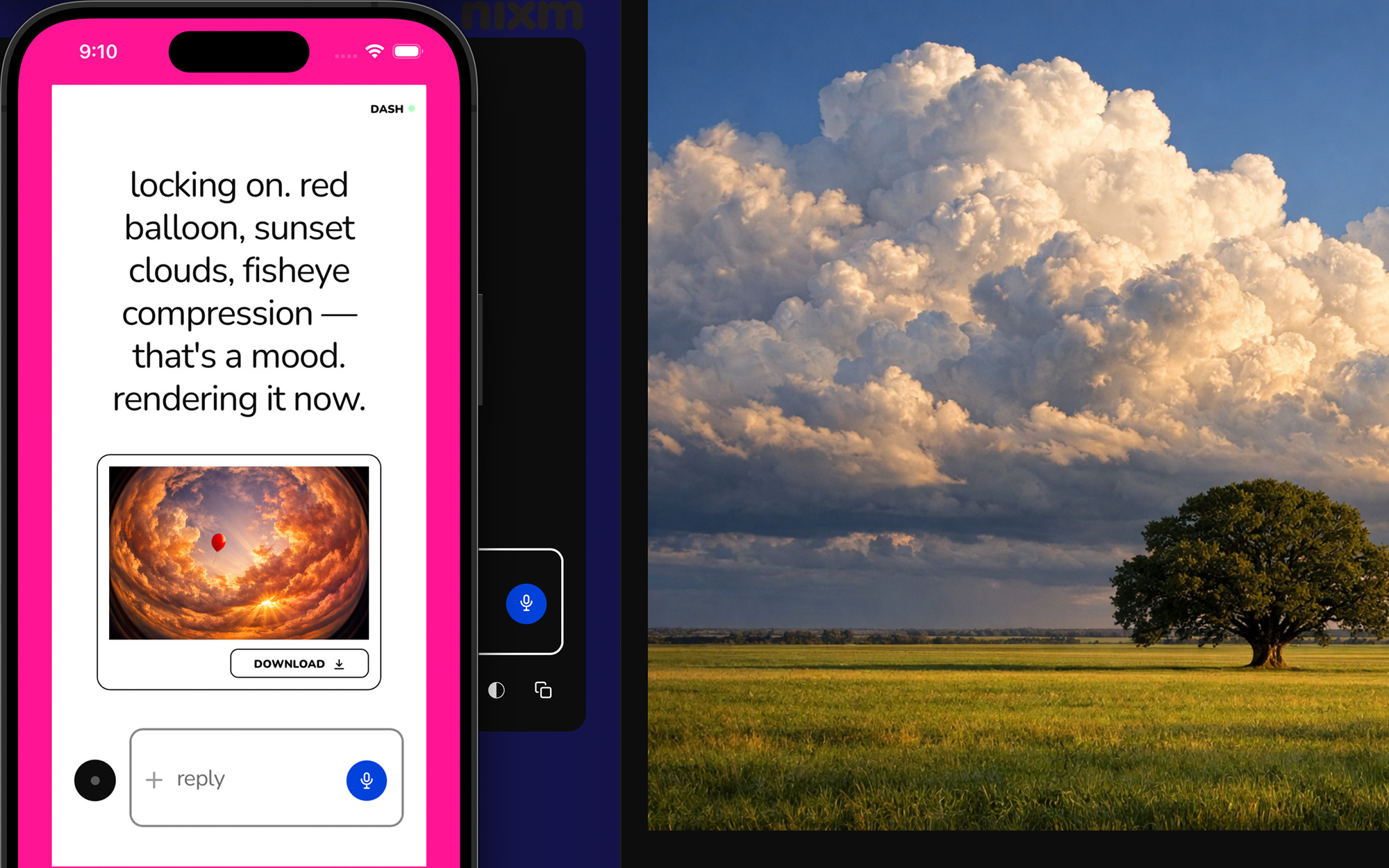
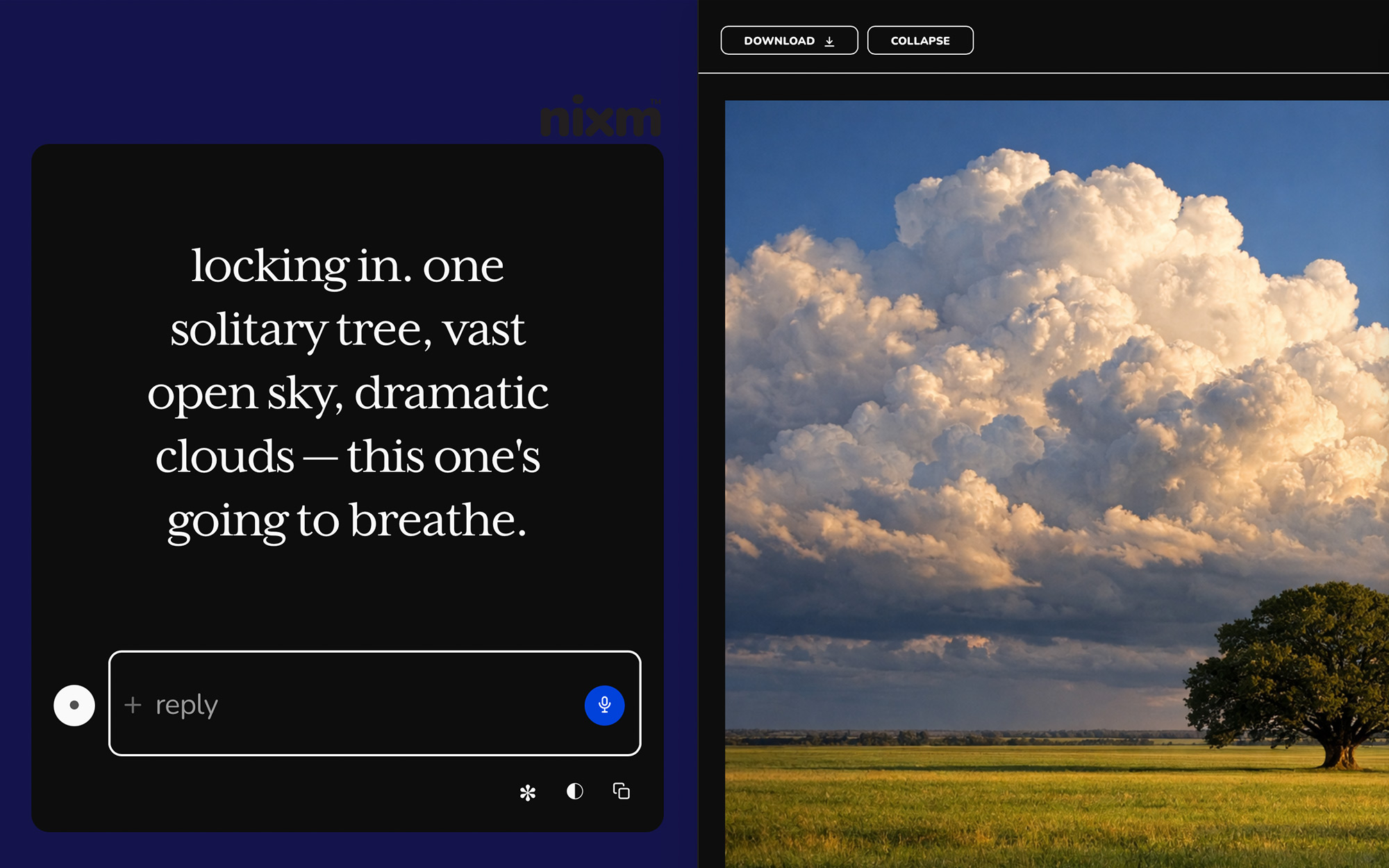
ask for an image, get an image. inline on mobile, side panel on desktop — expand, scroll, download. square, landscape, or portrait, detected from how you ask. 2 chat credits each. any image you make here can be set in motion as a clip. you can make the still without an account; what no sign-up actually gets you.
templates
pre-tuned signals for common modes. start a session already focused.
nixm-live
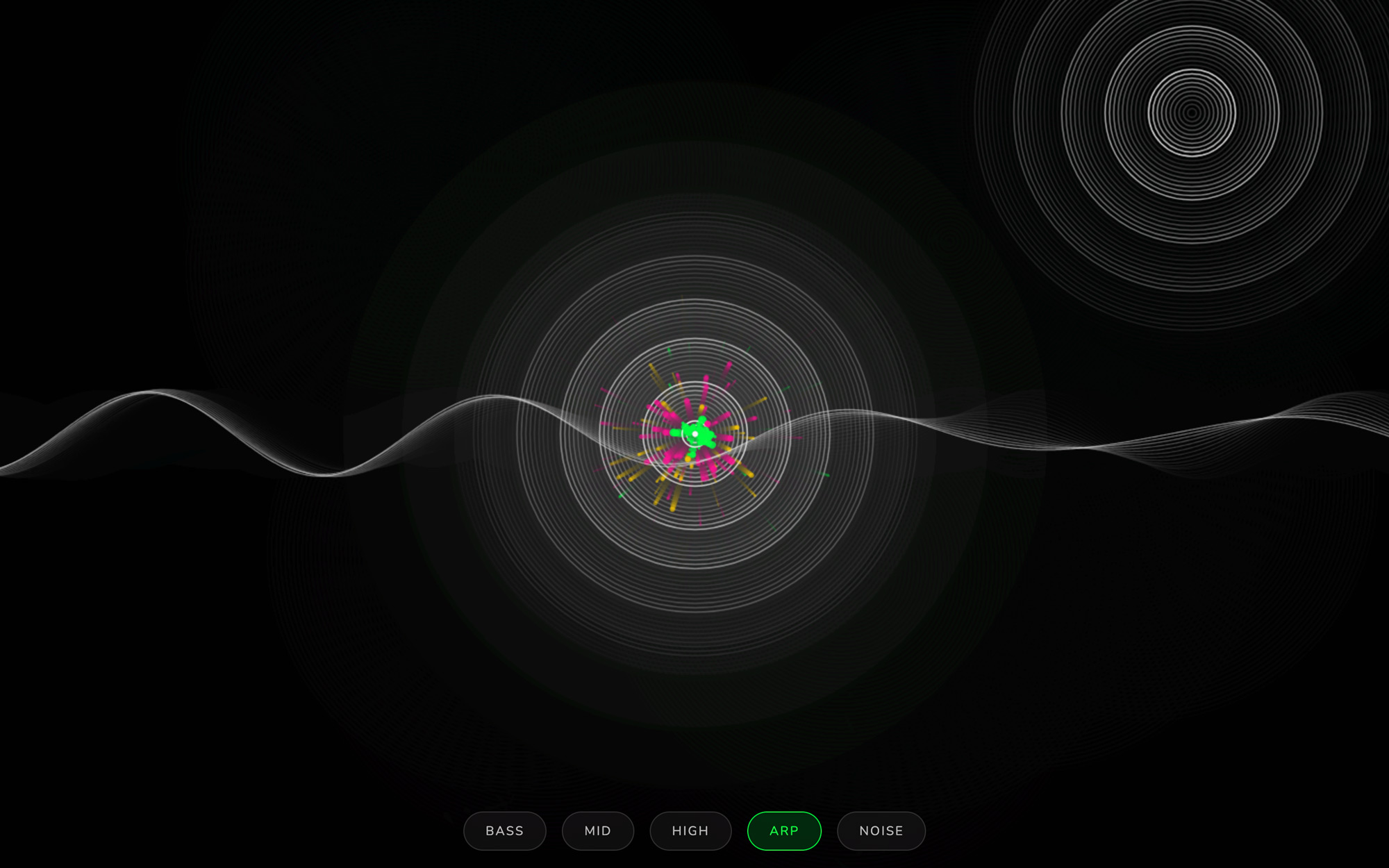
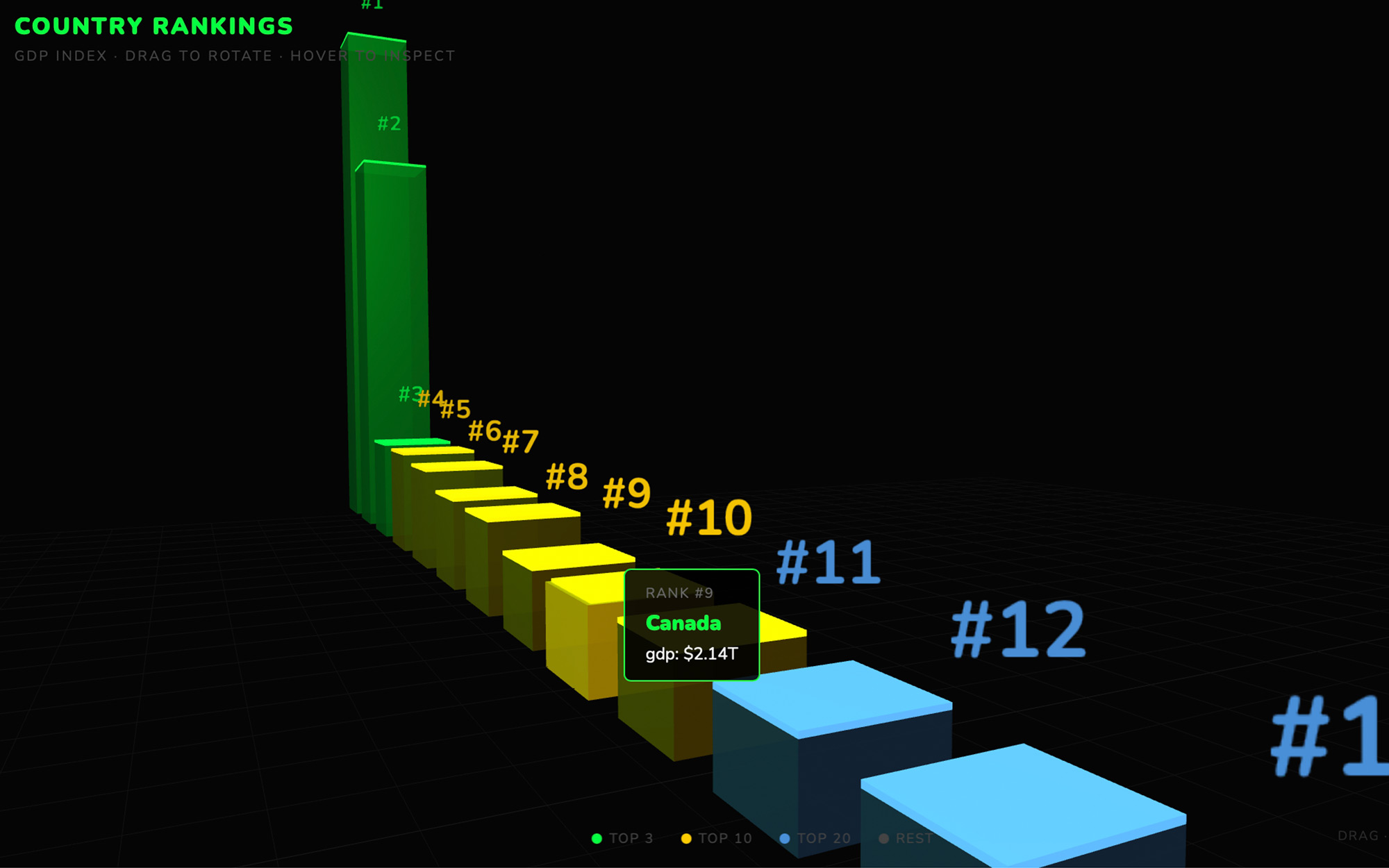
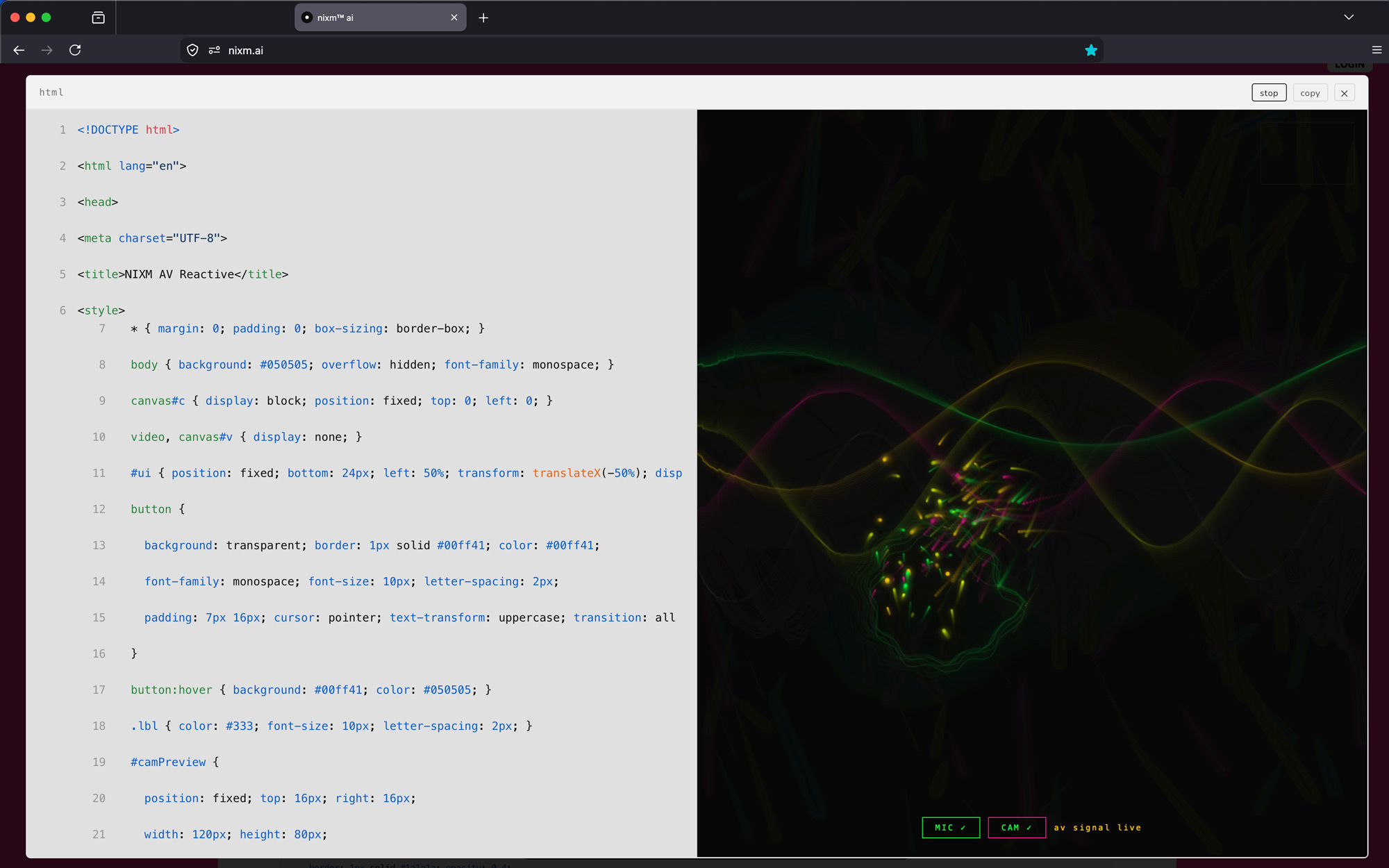
code that runs as it appears. ask nixm™ to show something visual and it renders live in the chat — no buttons, no waiting.
the runner
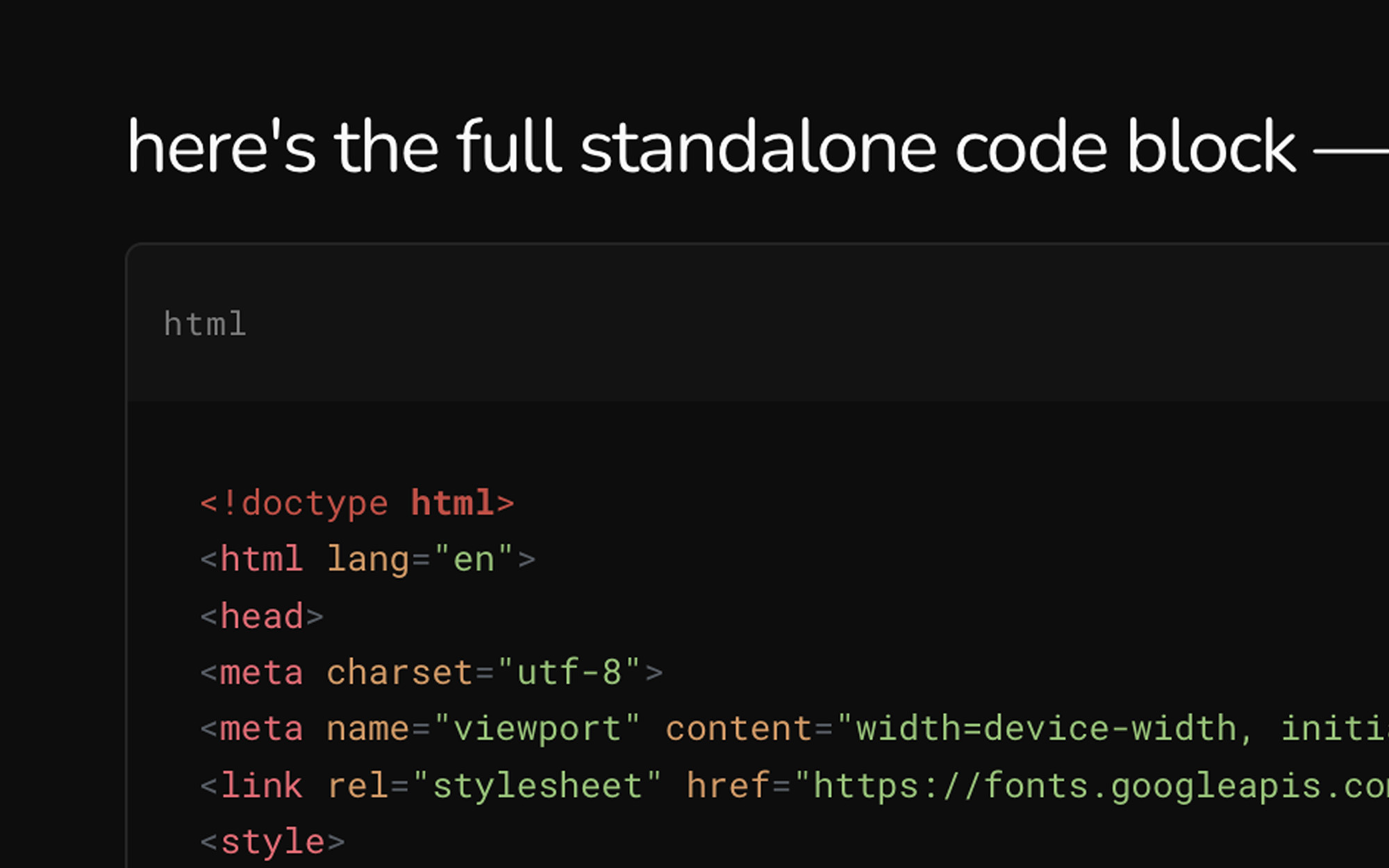
every code block is executable. expand any block to a full surface, run it, and watch the output. iterate without leaving the conversation.
every nixm is shareable.
seed a nixm. share the link. anyone who opens it enters the same focused intelligence you created — no setup, no re-explaining. the frequency holds for everyone.
signup free — 20 credits, plus a free video on us. drop your email to claim.
enter your email, then login to generate image or video.
next: nixms that act. not just a thread you share — a session that moves, drafts, and does. nixm™ is learning to reach.





























































common questions.
what exactly is a nixm?
a nixm is a unique URL that carries your primed AI context with it. you seed it with intent, it locks to that frequency, and anyone who opens the link enters the same focused intelligence you created. no setup, no re-explaining.
nixm™, a nixm, a signal — which is which?
three words, three things.
nixm™ is the interface — the thing you're using right now.
a nixm is what you make with it: a URL that holds your intent. seed one, share it, come back to it.
a signal is the intent itself, locked in place. every nixm carries one — that's what makes it hold. (under the hood it's primed on two: an intent signal and a collab signal. that's the machinery, not something you set.)
short version: you use nixm™ to make a nixm, and the signal is what's locked inside it.
does the name nixm mean anything?
nothing, in any language. it's a word that didn't exist before, like the void. a little strange to say at first, and it grows on you.
can nixm show me things — charts, visuals, demos?
yes. ask nixm™ to show, visualize, render, or animate something and it renders live inline — particles, 3D scenes, charts, interactive demos. data and ideas, made visible. for code you want to keep, copy, or modify, ask it to build something instead — that gives you the full source with a toolbar to expand, copy, and export. for pictures, ask it to generate an image — square, landscape, or portrait, rendered inline.
can nixm search the web?
yes. ask it to look something up — "what does veo 3 cost now?" — or tap search the web when it's offered. in about 10–15 seconds a short doc opens beside the chat (on a phone, right in it): a direct answer, the findings, and every source linked. the doc lands in the signal's research row, and nixm™ remembers what it found — what comes next in the signal builds on it. quick research is 2 credits; go deeper for a longer report from several searches — 6 credits. both are charged only when the doc arrives. on a public signal, research docs are visible to anyone with the link, like stills; make the signal private and they're yours alone.
can nixm make a video from words?
yes. describe the shot and ask for a video — about eight seconds, with sound, landscape or vertical. 1 video credit in HD, 2 in 4K, charged when the clip lands. sign in to render one. a still you like can be set in motion instead, and a shot with someone from your cast in it becomes a scene.
can i animate a still?
any still in a signal can be set in motion — say "animate this" (or press ANIMATE on the image) and nixm™ builds a motion pass from that exact frame: one camera move, ambient action, sound if the scene implies it. the frame stays the frame. one video credit.
can i make a video longer?
yes. every finished clip has an EXTEND button — about seven more seconds, same unbroken shot, one video credit per pass. even better: ask in words. "keep going, but have her turn toward the light" gives the extension a direction, and a directed continuation almost always beats a neutral one.
can i change one thing in a take and keep the rest?
yes — REMIX. ask in words: "remix take 4 so it's raining", "make take 2 at night". same shot, same length, with the change you named. it starts as soon as you ask, and lands as a new take; the original stays. it works on takes of 3 to 30 seconds, rendered or uploaded, and comes back in HD. an 8-second take is 3 video credits, 15 seconds is 4, 30 is 7. the REMIX button on a take shows the price and starts the sentence for you; the button itself spends nothing.
can i join my takes into one video?
yes — STITCH. on a signal with two or more takes, tap STITCH above the takes, then tap 2 to 8 of them in the order you want. you see the length and the price before anything is spent: 1 video credit per 30s, up to 120s (4 credits). the takes are joined with hard cuts, each keeping its own sound, everything framed to the first take, in HD. you can also just ask: "stitch take 3, 5 and 7". the result is a new take on the signal; the originals stay. turn on + SCORE and an instrumental score is cut to the stitch's length and mixed under the takes' own sound, dialogue kept clear — pick a mood (calm, tense, warm, epic) or leave it on auto; one more video credit.
can i see and change the order of a stitch?
yes — on the takes, tap “all N” (it shows when the takes don't fit on one line) to open them all, then switch from grid to timeline. tap takes to add them: each one joins a wired line in the order you tap it, numbered on its tile. drag a take in the line to move it (on a phone, hold it a moment, then drag); × takes it out. the line shows the running length against 120s, and STITCH shows the price before anything is spent: 1 video credit per 30s, + SCORE one more. 2 to 8 takes, as with STITCH. collapse brings the row back, and your picks stay.
can i trim a take?
yes. ask for part of a take ("take 7's first 5 seconds") and it lands as a new take, free; the original stays. ask for a cut from several takes ("a 20-second teaser") and nixm proposes the pieces with their seconds; one tap lays them out on the timeline, where you reorder, remove and confirm. a cut of several pieces costs what a stitch of that length costs: 1 video credit per 30 seconds started, up to 2 minutes.
can i see a stitch before i pay for it?
yes — PREVIEW. on the stitch timeline, once two or more takes or pieces are on the line, tap PREVIEW, the blue button above the timeline. in a few seconds a small version of the cut plays right above the line, free: the takes' own sound (no score), a timecode in the corner and the nixm stamp in the other. it is never a take and has no download; it is gone within the hour, as soon as you cancel, or as soon as you leave. change the line and the preview dims, with a reload icon in its centre — tap it for a fresh one. signed in only, up to 20 an hour. STITCH makes the real video, in HD, at its usual price.

what is a contact sheet?
sixteen frames of a take, start to end, in one picture. tap the contact sheet chip on a take, or CONTACT SHEET in the viewer, in the row with DOWNLOAD. it costs nothing. the sheet lands in media as "take N sheet", a reference like any other, so you can use it in a scene or a still, or just see the whole take at a glance.
where are the things i made?
in the dash, under MEDIA. on a signal it lists the signal's takes, cast, stills and research — all of them, each opening in the viewer. without a signal it lists this session's renders until the page reloads, like the chat. the row shows once there's something to list, or while something is rendering.
can i ask for another render while one is still going?
yes. in the same tab, a new video or scene waits in line and starts when the one before it lands, and you'll see it marked as queued. stills start right away. other tabs, devices and people in the signal don't wait on your line, their renders run alongside yours.
can i set defaults for a signal's renders?
yes — settings, in your dash, on a signal you own. pick a shape (auto, landscape or vertical), a clip quality (HD is 1 video credit, 4K is 2), a scene length (5, 10, 15 or 30 seconds) and, if you like, a look in a few words ("35mm, grain, cold light"). save, and they apply to new renders on that signal; what you ask for in a message still wins. you can also just say it: "all vertical from now on". people you share the signal with see the settings but can't change them.
what is CAST?
a signal can hold a cast — characters you've established with reference images. upload a face, or use a frame nixm™ already rendered, give it a name, and it stays. then put that character in a new scene: a different place, a different action, same face. nixm calls it a scene; you'll see the shot and the price before anything is spent.
how do i add someone to the cast?
attach an image in the conversation and tell nixm™ who it is. one image at a time — nixm asks whether each new one is a new character or another angle of someone you already have. a character can hold up to four images (one main, three angles), which is what keeps the face consistent.
what can i upload?
images you own or have the right to use — photos of yourself, people who have agreed to be there, things you shot, frames nixm™ already rendered for you, and short clips you shot. one at a time: an image under 12mb, a clip of 3 to 90 seconds up to 250 MB (REMIX works on clips up to 30 seconds; a STITCH is up to 120 seconds in all).
what does not belong here: anyone under 18, anything sexual, real people who have not agreed — public figures included — and characters or footage someone else owns. a costumed superhero is somebody's property even when a model draws it happily. the model's filter is not the rule; this is.
uploads are screened automatically and spot-checked by a person. anything outside those lines is removed, and the account with it. everything else dissolves with the signal, as usual.
can i upload one picture with several rooms on it?
yes. upload a sheet with 2 to 6 rooms and nixm™ cuts it into one reference per room, named after the sheet: "the home — kitchen", "the home — bedroom". ask for a scene in the kitchen and that room is the one used. it costs nothing extra. a room too small to cut is named, with what to upload instead. a single picture, or a sheet of one character from several angles, stays one reference.
can i bring my own clip?
yes — drop a clip of 3 to 90 seconds, up to 250 MB, into a signal while signed in. it lands as a take, marked uploaded: REMIX it if it runs 30 seconds or less, or STITCH it with other takes, up to 120 seconds in all. it's screened like images, and it dissolves with the signal. without a signal open, nixm starts one to hold it.
can i add several files at once?
yes — open the dash and tap upload. add up to 8 images or clips, name the images if you like, and upload them in one go: no message, no credit. they're screened like any upload and land in media, and nixm knows them by name on your next message. with no signal open they stay with this session and move onto your signal when you start one — anything made or uploaded without a signal is deleted after seven days. sign in to upload.
can i attach a document or data?
yes — text files: .md, .txt, .csv, .json and the like, under 12mb. attach one with your message and nixm™ reads it — drop a csv and ask for a chart. not yet: audio, and files that aren't text, like pdfs or spreadsheets.
what does a scene cost?
1 video credit per 5 seconds, rounded up — 10 seconds is 2, 15 is 3, 30 is 6 — however many characters or shots are in it. sound is always included. nixm™ shows you the cast, the shot and the price first — nothing renders until you say go.
how long does a scene take?
about 5 to 10 minutes — a 30-second scene takes the longest. these are bigger renders than a standard clip. you can close the page; the clip lands on the signal when it's done.
how many characters can a scene hold?
a scene holds four references — cast and props together. three characters and a prop, two characters and two props, four faces. more than that and someone doesn't make it into the frame; nixm™ proposes inside the limit and says what it cut. each character can carry up to three angles — one photo works, three hold better.
what can a scene actually hold?
less than a sentence can ask for. one camera position per shot: a longer scene is cut into shots, one per beat, up to thirty seconds in all — a camera drifting across faces inside one shot costs a face. give an outfit in words, one sentence per person, and nixm writes it into the scene — and keeps it on that character in later scenes. to hold one look exactly across many scenes, render a still of them in it and cast that; an outfit stored as a reference works too, said as wearing it. the one limit: nixm never undresses, exposes or sexualizes a real person in an uploaded photo. one character wearing a stored outfit per scene is what holds today, and a print on a shirt needs a medium shot or closer to read. nixm knows these limits and proposes within them — when your ask runs past, it tells you what it trimmed, or offers two scenes.
can a scene borrow the camera move from one of my takes?
yes — a reference. when you ask for a scene, point at a take on the same signal, rendered or uploaded: "same camera move as take 3", "match take 2's pacing". the scene can borrow its camera movement, its action, its performance or its pacing. say which; if you don't, it takes camera and pacing. the people still come from your cast, and the place and the light are the new scene's own. you see it with the shot and the price before you confirm: which take, which seconds, what it lends. a reference takes two of a scene's four places, so cast and props share the other two. the price doesn't change.
can a character talk?
yes. lip sync works: a line you write is spoken on the character's lips. short lines fit an 8-second shot; a longer speech splits across shots.
can i cast a face nixm™ rendered, not one i uploaded?
yes. render the still, then say cast her as vesper — naming it is what makes it a cast member. it moves into the cast strip and works exactly like an upload.
can i rename a character?
yes, any time — just ask. the new name sticks to that character and nixm™ uses it from then on.
can i remove a character or a clip from a signal?
yes, signed in. a cast tile, or a take you uploaded, carries a ×. tap it once to arm it, again to confirm, and it's gone — the file with it, no undo. the signal's owner can remove any of them; anyone else, only the ones they added. a take nixm™ rendered stays until the signal dissolves.
do my uploaded references stay private?
they live in the signal, like everything else you make there — and they dissolve with it. a public signal shows its cast to anyone with the link; mark the signal private and it's yours alone. either way, nothing is trained on and nothing outlives the signal. two things happen to an upload, stated plainly. it is screened for safety, and a person may look at an image for that reason — never at your dialogue. and nixm keeps a short written description of what it shows, so it can work with it; the description is not used to identify anyone and dissolves with the image.
what does "seeding" mean?
seeding is how you set the frequency. instead of just asking a question, you give nixm™ context: your goal, your mindset, your constraints. it locks to that — and every response from then on stays anchored to what you actually wanted.
how is this different from a chatbot?
a chatbot is stateless — it treats every message as a fresh transaction. nixm™ uses a contextual anchor that keeps your original intent alive across the whole session. it doesn't drift. it doesn't forget what you came to do.
can i talk instead of type?
yes. tap the mic beside the message box, speak, tap it again. what you said appears in the box as text — read it, change it, send it. it isn't sent until you send it.
why does the interface change color? can i pick my own?
the color shift is a live readout of the session's state — thinking, idle, reacting. it's a small feedback loop between the AI's processing and your visual field. signal activity made visible. want a different color? just ask — "use green", "tone down the background".
can i switch to light mode, another typeface, or french?
yes. the controls beside the chat switch between dark and light, and between serif and sans (the Aa). FR at the foot of the page puts the interface in french; EN brings it back.
what happens when a signal expires?
signals live for seven days from creation. after that, the signal dissolves — its intent, its distilled log and any images you uploaded — and nothing of it remains. anything made or uploaded without a signal is deleted after seven days. nixm™ is built on the principle of ephemeral intelligence: no transcript of your conversation is ever kept. the insights are yours. the noise is deleted. nothing is harvested. you can watch it happen: every signal, alive.
can a signal live longer than seven days?
yes — now it can. one credit adds seven days to a signal you own. press "+7 days" in your dash as many times as you like; the days stack. dissolving stays the default — keeping something alive is a choice you make, not a setting you forget.
can i end a signal before seven days?
yes. press "dissolve" in your dash, beside the privacy toggle — it appears only on signals you own. one tap arms it, a second confirms, and the dialogue, its images and its clips go immediately. private hides a signal; dissolve ends it. there is no undo, which is the point.
made a signal without signing in and want it gone early?
signals made without an account have no owner, so there's no dissolve button. email info@nixm.ai with the signal's id (NIXM-…) and we'll dissolve it by hand — nothing else about you is needed. do nothing and it dissolves on its own seven days after it was made.
how do i delete my account?
email info@nixm.ai from the address on the account and ask. we delete the account, its credits and everything tied to it — your signals, their images and clips, your sign-in. unused credits go with it: they only live while the account is open. your signals dissolve on their own anyway; this ends them sooner. there is no undo. stripe keeps its own record of what you paid, as the law requires.
what survives after a signal dissolves?
whatever you took out. the frames and clips you downloaded are yours forever — the conversation is the part that expires. nothing is kept, nothing is harvested. that's not a limitation of the product; it is the product.
can i take a summary of a signal with me?
yes. on a signal, tap export among the chat's controls, or just ask for an export. nixm™ writes a short document from the signal: a summary, the key outputs and the next steps, with the signal's id and the date. it opens beside the chat (on a phone, right in it), with DOWNLOAD and COPY. it's a markdown file, and it costs nothing. on a private signal only its owner can export it. it's something you take out, so it outlives the signal.
is nixm™ open source?
no. the orchestration layer, contextual anchor logic, and session architecture are proprietary. this isn't a wrapper — it's a custom-built framework designed to keep your intent alive across a session in a way standard AI cannot.
is nixm™ private?
structurally, yes. nixm™ doesn't keep a transcript of your conversation. a distilled log stays with the signal for seven days, then dissolves — and nothing you type is used for training. and if you need something from a past session — just ask again. your thinking stays yours because we never kept a transcript of it.
one clarification: a shared nixm carries your intent seed publicly — that's the feature. anyone with the link enters the same focused context. what stays private is the dialogue itself: no transcript of it is kept. the signal's distilled log is part of that shared context, and it dissolves with the signal after seven days. you control what you seed. nixm™ controls nothing after that.
the web server keeps a standard access log for about seven days (IP, page, time); nothing else about your visit is logged by the server.
what does threadless mean?
most chats are one long thread: every message stays, and the whole history goes back to the model each turn. nixm™ has no thread. the signal holds your intent and a short distilled log of what's been decided — not a transcript. each reply works from those plus the last few exchanges, which are forgotten an hour after your last message. the log dissolves with the signal after seven days. we tested a signal against a full thread →
what does private by design mean?
nixm™ is built privacy-first. no transcript of your conversation is kept, and what you take out of a signal is yours. signed in, you run the signals you own from your dash: extend one, dissolve it early, or make it private so its link works only for you. otherwise anyone with the link can open it. do nothing and it dissolves after seven days.
can i share a nixm with someone else?
yes. every nixm is shareable by default. when you create a nixm, you can share the link and anyone who opens it enters the same focused intelligence you created. they don't need to set up context — the nixm holds it.
what are templates?
ready-made signals, already tuned for one kind of work — a cinematic studio, a beatbox, code review, a decision, data into a chart, web research and more. they live in the lab. open one and start: your first message makes it a signal of your own, and the template itself never changes.
are my signals public or private?
by default, signals you create while logged out are public — anyone with the link can open them. once you log in, you can mark any signal you own as private: the link still works only for you, never for anyone else. toggle privacy in your dash, beside dissolve, when you're signed in.
do i need an account?
not to start. you can talk to nixm™ without one. to render an image or a video, search the web, bring in a clip, upload from the dash, or own a signal — make it private, add days, dissolve it — sign in. signing in is free: a magic link to your email, or google. no password.
what does everything cost?
a message costs 1 credit. an image adds 2 more — charged only when the image actually arrives. a web search adds 2 the same way, and going deeper adds 6 — both charged only when the doc arrives. video runs on its own separate pool: 1 video credit for HD, 2 for 4K, charged when the clip is delivered. a cinematic scene with your cast is 2 credits at 10 seconds, 3 at 15. extending a clip is 1 video credit per pass; keeping a signal alive is 1 credit per +7 days.
what if a render fails?
you pay for the message, never for media that didn't arrive. a failed or filtered render doesn't charge the image or video part — that's charged at delivery, on purpose.
do credits expire?
no. never. they'll be waiting whenever the next idea is.
how do i buy credits?
signed in, open your dash and tap buy credits. chat credits and video credits come in packs — chat alone, video alone, or both in one — paid once, no subscription, nothing recurring, through stripe's secure checkout. prices show in your currency. the same page sells a pack as a gift code, no account needed.
how do i redeem a gift code?
sign in (free — a magic link, no password), open the sign-in panel, and tap have a gift code?. enter the code — credits land instantly on your account. gift codes never expire, and one code redeems once, on any account.
i lost my gift code or the email — can it be recovered?
yes. the code was emailed to the buyer (and to the recipient, if one was added at checkout) — search your inbox for "nixm". if the email is gone, the buyer can write to info@nixm.ai with the purchase email address and we'll look it up. unredeemed codes stay valid indefinitely.
are downloaded files safe to run?
nixm™ produces real, executable code. before running anything you download, open it in an editor and read it first. treat it like code from any source on the internet — not magic, not malware, just code. use your discretion.
what can i actually ask nixm to do?
more than people expect. nixm™ isn't a chatbot — it's a primed surface for shaping work. some examples to try:
| what | try this |
|---|---|
| build a tool | build a beatbox in vanilla js. build a QR code generator. build a markdown editor with live preview. |
| visualize an idea | visualize photosynthesis in 3d. show me q1 growth as a chart. animate how a transformer works. |
| write a brief or doc | write a brand brief in editorial tone. draft a one-page hiring rubric. summarize this thread into a memo. |
| think out loud | walk me through pricing for a 50-person agency. compare two technical approaches. roast my product copy. |
| study or learn | explain mitochondria like i'm 14. quiz me on the krebs cycle. visualize the periodic table by reactivity. |
| look something up | what does veo 3 cost now? is pika still around? compare runway and kling prices. |
| iterate | refine the last response, but tighter. give me a more cynical version. cut everything that's not specific. |
if it can be described, you can ask it. nixm™ answers the way the signal is primed.
questions fréquentes.
qu'est-ce qu'un nixm, exactement ?
un nixm est une URL unique qui transporte avec elle votre contexte d'IA déjà amorcé. vous l'amorcez avec une intention, il se verrouille sur cette fréquence, et quiconque ouvre le lien entre dans la même intelligence focalisée que vous avez créée. aucune configuration, aucune explication à refaire.
nixm™, un nixm, un signal — lequel est lequel ?
trois mots, trois choses.
nixm™ est l'interface — ce que vous utilisez en ce moment même.
un nixm est ce que vous créez avec : une URL qui porte votre intention. amorcez-en un, partagez-le, revenez-y.
un signal est l'intention elle-même, verrouillée. chaque nixm en porte un — c'est ce qui le fait tenir. (en coulisses, il est amorcé sur deux : un signal d'intention et un signal de collab. c'est la mécanique, rien que vous ayez à régler.)
en bref : vous utilisez nixm™ pour créer un nixm, et le signal est ce qui est verrouillé dedans.
est-ce que le nom nixm veut dire quelque chose ?
rien, dans aucune langue. c'est un mot qui n'existait pas avant, comme le vide. un peu étrange à dire au début, et on s'y attache.
est-ce que nixm peut me montrer des choses — graphiques, visuels, démos ?
oui. demandez à nixm™ de montrer, visualiser, rendre ou animer quelque chose et le résultat s'affiche en direct dans le fil — particules, scènes 3D, graphiques, démos interactives. les données et les idées, rendues visibles. pour du code que vous voulez conserver, copier ou modifier, demandez-lui plutôt de construire quelque chose — vous obtenez alors la source complète, avec une barre d'outils pour agrandir, copier et exporter. pour des images, demandez-lui de générer une image — carrée, paysage ou portrait, affichée dans le fil.
nixm peut-il chercher sur le web ?
oui. demandez-lui de chercher quelque chose — « combien coûte veo 3 aujourd'hui ? » — ou touchez search the web quand il le propose. en 10 à 15 secondes environ, un court document s'ouvre à côté de la conversation (sur téléphone, dedans) : une réponse directe, les constats, et chaque source en lien. le document rejoint la rangée « research » du signal, et nixm™ retient ce qu'il a trouvé — la suite du signal s'appuie dessus. une recherche rapide coûte 2 crédits ; touchez go deeper pour un rapport plus long, tiré de plusieurs recherches — 6 crédits. les deux sont prélevés seulement à l'arrivée du document. sur un signal public, les documents de recherche sont visibles par toute personne qui a le lien, comme les images ; rendez le signal privé et ils ne sont qu'à vous.
nixm peut-il faire une vidéo à partir de mots ?
oui. décrivez le plan et demandez une vidéo — environ huit secondes, avec le son, en paysage ou en vertical. 1 crédit vidéo en HD, 2 en 4K, prélevés à l'arrivée du clip. connectez-vous pour en produire une. une image fixe qui vous plaît peut aussi être mise en mouvement, et un plan où figure quelqu'un de votre distribution devient une scène.
puis-je animer une image fixe ?
n'importe quelle image fixe d'un signal peut être mise en mouvement — dites « anime ça » (ou appuyez sur ANIMATE sur l'image) et nixm™ construit une passe de mouvement à partir de cette image exacte : un mouvement de caméra, une action d'ambiance, du son si la scène l'appelle. l'image reste l'image. un crédit vidéo.
puis-je allonger une vidéo ?
oui. chaque clip terminé porte un bouton EXTEND — environ sept secondes de plus, le même plan ininterrompu, un crédit vidéo par passe. mieux encore : demandez-le avec des mots. « continue, mais fais-la se tourner vers la lumière » donne une direction à l'extension, et une continuation dirigée vaut presque toujours mieux qu'une continuation neutre.
puis-je changer une seule chose dans une prise et garder le reste ?
oui — REMIX. demandez-le avec des mots : « remixe la prise 4 pour qu'il pleuve », « mets la prise 2 de nuit ». le même plan, la même durée, avec le changement que vous avez nommé. il démarre dès que vous le demandez, et arrive comme une nouvelle prise ; l'originale reste. il fonctionne sur les prises de 3 à 30 secondes, rendues ou importées, et revient en HD. une prise de 8 secondes coûte 3 crédits vidéo, 15 secondes en coûtent 4, 30 en coûtent 7. le bouton REMIX sur une prise montre le prix et commence la phrase pour vous ; le bouton lui-même ne dépense rien.
puis-je assembler mes prises en une seule vidéo ?
oui — ASSEMBLER. sur un signal qui a au moins deux prises, touchez ASSEMBLER au-dessus des prises, puis 2 à 8 d'entre elles dans l'ordre voulu. vous voyez la durée et le prix avant que quoi que ce soit ne soit dépensé : 1 crédit vidéo par tranche de 30s, jusqu'à 120s (4 crédits). les prises sont jointes en coupes franches, chacune garde son propre son, le tout cadré sur la première prise, en HD. vous pouvez aussi simplement le demander : « assemble les prises 3, 5 et 7 ». le résultat est une nouvelle prise sur le signal ; les originales restent. activez + MUSIQUE et une musique instrumentale est coupée à la durée de l'assemblage et mixée sous le son des prises, les dialogues restent clairs — choisissez une ambiance (calme, tendue, chaleureuse, épique) ou laissez auto ; un crédit vidéo de plus.
puis-je voir et changer l'ordre d'un assemblage ?
oui — sur les prises, touchez « les N » (il apparaît quand les prises ne tiennent pas sur une ligne) pour les ouvrir toutes, puis passez de grille à frise. touchez des prises pour les ajouter : chacune rejoint une ligne reliée dans l'ordre où vous la touchez, numérotée sur sa vignette. faites glisser une prise dans la ligne pour la déplacer (sur un téléphone, gardez le doigt dessus un instant, puis glissez) ; × la retire. la ligne montre la durée totale face aux 120s, et ASSEMBLER montre le prix avant toute dépense : 1 crédit vidéo par tranche de 30s, + MUSIQUE un de plus. 2 à 8 prises, comme avec ASSEMBLER. replier referme la rangée, et vos choix restent.
puis-je découper une prise ?
oui. demandez une partie d'une prise (« les 5 premières secondes de la prise 7 ») et elle arrive comme une nouvelle prise, gratuite ; l'originale reste. demandez un montage à partir de plusieurs prises (« un teaser de 20 secondes ») et nixm propose les morceaux avec leurs secondes ; une touche les dispose sur la frise, où vous réordonnez, retirez et confirmez. un montage de plusieurs morceaux coûte ce que coûte un assemblage de cette durée : 1 crédit vidéo par tranche de 30 secondes entamée, jusqu'à 2 minutes.
puis-je voir un assemblage avant de le payer ?
oui — APERÇU. sur la frise d'assemblage, dès que deux prises ou morceaux au moins sont sur la ligne, touchez APERÇU, le bouton bleu au-dessus de la frise. en quelques secondes, une petite version du montage se lit juste au-dessus de la ligne, gratuitement : le son des prises (sans musique), un minutage dans un coin et le tampon nixm dans l'autre. ce n'est jamais une prise et il n'y a pas de téléchargement ; il disparaît dans l'heure, dès que vous annulez, ou dès que vous partez. changez la ligne et l'aperçu s'assombrit, avec une icône de rechargement en son centre — touchez-la pour en refaire un. réservé aux comptes connectés, jusqu'à 20 par heure. ASSEMBLER fait la vraie vidéo, en HD, à son prix habituel.
qu'est-ce qu'une planche contact ?
seize images d'une prise, du début à la fin, en une seule image. touchez l'icône planche contact sur une prise, ou PLANCHE CONTACT dans la visionneuse, dans la rangée de DOWNLOAD. ça ne coûte rien. la planche arrive dans les médias sous le nom « take N sheet », une référence comme une autre : vous pouvez l'utiliser dans une scène ou une image fixe, ou simplement voir toute la prise d'un coup d'œil.
où sont les choses que j'ai créées ?
dans le tableau de bord, sous MÉDIAS. sur un signal, il liste ses prises, son cast, ses images et ses recherches — toutes, chacune s'ouvre dans la visionneuse. sans signal, il liste les rendus de cette session jusqu'au rechargement de la page, comme la conversation. la ligne apparaît dès qu'il y a quelque chose à lister, ou pendant un rendu.
puis-je demander un autre rendu pendant qu'un rendu est encore en cours ?
oui. dans le même onglet, une nouvelle vidéo ou scène attend son tour et démarre quand la précédente arrive, et vous la voyez marquée « en file ». les images fixes démarrent tout de suite. les autres onglets, appareils et personnes du signal n'attendent pas votre file : leurs rendus tournent en même temps que les vôtres.
puis-je fixer des valeurs par défaut pour les rendus d'un signal ?
oui — réglages, dans votre tableau de bord, sur un signal qui vous appartient. choisissez un format (auto, paysage ou vertical), une qualité de clip (HD coûte 1 crédit vidéo, 4K en coûte 2), une durée de scène (5, 10, 15 ou 30 secondes) et, si vous voulez, un look en quelques mots (« 35mm, grain, lumière froide »). enregistrez : ils s'appliquent aux nouveaux rendus de ce signal ; ce que vous demandez dans un message l'emporte toujours. vous pouvez aussi simplement le dire : « tout en vertical à partir de maintenant ». les personnes avec qui vous partagez le signal voient les réglages sans pouvoir les changer.
qu'est-ce que CAST ?
un signal peut porter une distribution — des personnages que vous avez établis à partir d'images de référence. téléversez un visage, ou reprenez une image que nixm™ a déjà rendue, donnez-lui un nom, et il reste. vous pouvez ensuite placer ce personnage dans une nouvelle scène : un autre lieu, une autre action, le même visage. nixm appelle ça une scène ; vous verrez le plan et le prix avant que quoi que ce soit ne soit dépensé.
comment ajouter quelqu'un à la distribution ?
attachez une image dans la conversation et dites à nixm™ de qui il s'agit. une image à la fois — nixm demande si chaque nouvelle image est un nouveau personnage ou un autre angle de quelqu'un que vous avez déjà. un personnage peut porter jusqu'à quatre images (une principale, trois angles), et c'est ce qui garde le visage constant.
que puis-je téléverser ?
des images que vous possédez ou que vous avez le droit d'utiliser — vos propres photos, des personnes qui ont donné leur accord, ce que vous avez filmé ou photographié, des images que nixm™ a déjà produites pour vous, et de courts clips que vous avez filmés. un à la fois : une image sous 12 mo, un clip de 3 à 90 secondes jusqu'à 250 mo (le REMIX fonctionne sur les clips de 30 secondes au plus ; un assemblage dure 120 secondes au plus au total).
ce qui n'a pas sa place ici : toute personne de moins de 18 ans, tout contenu sexuel, toute personne réelle qui n'a pas donné son accord — personnalités publiques comprises — et tout personnage ou extrait appartenant à autrui. un super-héros costumé appartient à quelqu'un, même quand un modèle le dessine sans broncher. le filtre du modèle n'est pas la règle ; celle-ci l'est.
les téléversements font l'objet d'un contrôle automatique et de vérifications humaines ponctuelles. tout ce qui sort de ces limites est retiré, et le compte avec. le reste se dissout avec le signal, comme d'habitude.
puis-je téléverser une seule image avec plusieurs pièces ?
oui. téléversez une planche de 2 à 6 pièces et nixm™ la découpe en une référence par pièce, nommée d'après la planche : « the home — kitchen », « the home — bedroom ». demandez une scène dans la cuisine, et c'est cette pièce qui est utilisée. ça ne coûte rien de plus. une pièce trop petite pour être découpée est nommée, avec ce qu'il faut téléverser à la place. une image seule, ou une planche d'un personnage sous plusieurs angles, reste une seule référence.
puis-je apporter mon propre clip ?
oui — déposez un clip de 3 à 90 secondes, jusqu'à 250 mo, dans un signal, connecté. il arrive comme une prise, marquée « uploaded » : REMIX s'il dure 30 secondes au plus, ou ASSEMBLER avec d'autres prises, 120 secondes au plus au total. il est contrôlé comme les images, et se dissout avec le signal. sans signal ouvert, nixm en crée un pour le garder.
puis-je ajouter plusieurs fichiers à la fois ?
oui — ouvrez le tableau de bord et touchez importer. ajoutez jusqu'à 8 images ou clips, nommez les images si vous voulez, et importez-les d'un coup : sans message, sans crédit. ils sont vérifiés comme tout import et arrivent dans les médias, et nixm les connaît par leur nom dès votre prochain message. sans signal ouvert, ils restent avec cette session et passent sur votre signal quand vous en lancez un — tout ce qui est créé ou importé sans signal est supprimé après sept jours. connectez-vous pour importer.
puis-je joindre un document ou des données ?
oui — des fichiers texte : .md, .txt, .csv, .json et apparentés, sous 12 mo. joignez-en un à votre message et nixm™ le lit — déposez un csv et demandez un graphique. pas encore : l'audio, et les fichiers qui ne sont pas du texte, comme les pdf ou les tableurs.
combien coûte une scène ?
1 crédit vidéo par tranche de 5 secondes, arrondi au supérieur — 10 secondes valent 2 crédits, 15 en valent 3, 30 en valent 6 — quel que soit le nombre de personnages ou de plans. le son est toujours inclus. nixm™ vous montre d'abord la distribution, le plan et le prix — rien ne se rend tant que vous n'avez pas dit d'y aller.
combien de temps prend une scène ?
environ 5 à 10 minutes — une scène de 30 secondes prend le plus de temps. ce sont des rendus plus lourds qu'un clip standard. vous pouvez fermer la page ; le clip arrive sur le signal une fois terminé.
combien de personnages tient une scène ?
une scène tient quatre références — distribution et accessoires compris. trois personnages et un accessoire, deux et deux, quatre visages. au-delà, quelqu'un manque à l'image ; nixm™ propose dans la limite et dit ce qu'il a retiré. chaque personnage peut porter jusqu'à trois angles — une photo suffit, trois tiennent mieux.
que peut vraiment tenir une scène ?
moins qu'une phrase peut demander. une position de caméra par plan : une scène plus longue se découpe en plans, un par temps fort, jusqu'à trente secondes au total — une caméra qui glisse d'un visage à l'autre dans un même plan coûte un visage. décrivez une tenue en mots, une phrase par personne, et nixm l'écrit dans la scène — et la garde à ce personnage dans les scènes suivantes. pour garder un même look à l'identique sur plusieurs scènes, rendez une image de lui dans cette tenue et castez-la ; une tenue enregistrée comme référence marche aussi, dite il la porte. la seule limite : nixm ne déshabille, n'expose ni ne sexualise jamais une vraie personne sur une photo importée. un personnage portant une tenue enregistrée par scène, c'est ce qui tient aujourd'hui, et un imprimé sur un t-shirt se lit en plan moyen ou plus serré. nixm connaît ces limites et propose à l'intérieur — quand la demande déborde, il dit ce qu'il a coupé, ou propose deux scènes.
une scène peut-elle reprendre le mouvement de caméra d'une de mes prises ?
oui — une référence. quand vous demandez une scène, désignez une prise du même signal, rendue ou importée : « le même mouvement de caméra que la prise 3 », « le rythme de la prise 2 ». la scène peut lui emprunter son mouvement de caméra, son action, son jeu ou son rythme. dites lequel ; sinon, elle prend la caméra et le rythme. les personnes viennent toujours de votre distribution, et le lieu et la lumière sont ceux de la nouvelle scène. vous le voyez avec le plan et le prix avant de confirmer : quelle prise, quelles secondes, ce qu'elle prête. une référence prend deux des quatre places d'une scène, donc distribution et accessoires se partagent les deux autres. le prix ne change pas.
un personnage peut-il parler ?
oui. la synchronisation labiale fonctionne : une réplique que vous écrivez est prononcée par les lèvres du personnage. les répliques courtes tiennent dans un plan de 8 secondes ; un discours plus long se répartit sur plusieurs plans.
puis-je caster un visage que nixm™ a rendu, et non un visage que j'ai téléversé ?
oui. rendez l'image fixe, puis dites caste-la en vesper — c'est en la nommant qu'elle entre dans la distribution. elle rejoint la rangée de la distribution et fonctionne exactement comme un téléversement.
puis-je renommer un personnage ?
oui, à tout moment — il suffit de le demander. le nouveau nom reste attaché à ce personnage et nixm™ l'utilise à partir de là.
puis-je retirer un personnage ou un clip d'un signal ?
oui, une fois connecté. une vignette de la distribution, ou une prise que vous avez importée, porte un ×. touchez-le une fois pour l'armer, une seconde fois pour confirmer, et elle disparaît — le fichier avec, sans retour en arrière. le propriétaire du signal peut retirer n'importe laquelle ; les autres, seulement celles qu'ils ont ajoutées. une prise rendue par nixm™ reste jusqu'à la dissolution du signal.
mes références téléversées restent-elles privées ?
elles vivent dans le signal, comme tout ce que vous y créez — et elles se dissolvent avec lui. un signal public montre sa distribution à quiconque a le lien ; marquez le signal comme privé et elle n'appartient qu'à vous. dans les deux cas, rien ne sert à entraîner quoi que ce soit et rien ne survit au signal. deux choses arrivent à un téléversement, dites clairement. il fait l'objet d'un contrôle de sécurité, et une personne peut regarder une image à ce titre — jamais votre dialogue. et nixm en garde une courte description écrite de ce qu'il montre, pour pouvoir travailler avec ; cette description ne sert à identifier personne et se dissout avec l'image.
que veut dire « amorcer » ?
amorcer, c'est régler la fréquence. au lieu de simplement poser une question, vous donnez un contexte à nixm™ : votre objectif, votre état d'esprit, vos contraintes. il se verrouille dessus — et chaque réponse reste ensuite ancrée à ce que vous vouliez vraiment.
en quoi est-ce différent d'un chatbot ?
un chatbot est sans état — il traite chaque message comme une transaction isolée. nixm™ utilise un ancrage contextuel qui maintient votre intention d'origine vivante sur toute la session. il ne dérive pas. il n'oublie pas ce que vous êtes venu faire.
puis-je parler au lieu d'écrire ?
oui. touchez le micro à côté de la zone de message, parlez, touchez-le à nouveau. ce que vous avez dit apparaît dans la zone, en texte — relisez, modifiez, envoyez. rien n'est envoyé tant que vous ne l'envoyez pas.
pourquoi l'interface change-t-elle de couleur ? puis-je choisir la mienne ?
le glissement de couleur est une lecture en direct de l'état de la session — réflexion, veille, réaction. c'est une petite boucle de retour entre le traitement de l'IA et votre champ visuel. l'activité du signal, rendue visible. vous en voulez une autre ? demandez-le simplement — « passe au vert », « adoucis le fond ».
puis-je passer en mode clair, changer de police, ou passer en anglais ?
oui. les commandes à côté de la conversation passent du sombre au clair, et d'une police à empattement à une police sans empattement (le Aa). EN, au pied de la page, met l'interface en anglais ; FR la ramène en français.
que se passe-t-il quand un signal expire ?
les signaux vivent sept jours à compter de leur création. passé ce délai, le signal se dissout — son intention, son journal condensé et les images que vous avez importées — et il n'en reste rien. tout ce qui est créé ou importé sans signal est supprimé après sept jours. nixm™ repose sur le principe d'une intelligence éphémère : aucune transcription de votre conversation n'est jamais conservée. les idées sont à vous. le bruit est supprimé. rien n'est exploité. vous pouvez le voir se produire : chaque signal, vivant.
un signal peut-il vivre plus de sept jours ?
oui — c'est désormais possible. un crédit ajoute sept jours à un signal qui vous appartient. appuyez sur « +7 days » dans votre tableau de bord autant de fois que vous le souhaitez ; les jours s'additionnent. la dissolution reste le comportement par défaut — garder quelque chose en vie est un choix que vous faites, pas un réglage que vous oubliez.
puis-je mettre fin à un signal avant sept jours ?
oui. appuyez sur « dissoudre » dans votre tableau de bord, à côté du réglage de confidentialité — il n'apparaît que sur les signaux qui vous appartiennent. une pression l'arme, une seconde confirme, et le dialogue, ses images et ses clips disparaissent immédiatement. privé le masque ; dissoudre y met fin. il n'y a pas de retour en arrière, et c'est voulu.
signal créé sans compte : comment le supprimer plus tôt ?
un signal créé sans compte n'a pas de propriétaire, donc pas de bouton « dissoudre ». écrivez à info@nixm.ai avec l'identifiant du signal (NIXM-…) et nous le dissoudrons à la main — rien d'autre sur vous n'est nécessaire. sinon, il se dissout tout seul sept jours après sa création.
comment supprimer mon compte ?
écrivez à info@nixm.ai depuis l'adresse du compte. nous supprimons le compte, ses crédits et tout ce qui y est lié — vos signaux, leurs images et leurs clips, votre connexion. les crédits inutilisés disparaissent avec lui : ils n'existent que tant que le compte est ouvert. vos signaux se dissolvent de toute façon d'eux-mêmes ; ceci y met fin plus tôt. il n'y a pas de retour en arrière. stripe conserve sa propre trace de vos paiements, comme la loi l'exige.
que reste-t-il après la dissolution d'un signal ?
ce que vous en avez sorti. les images et les clips que vous avez téléchargés sont à vous pour toujours — c'est la conversation qui expire. rien n'est conservé, rien n'est récolté. ce n'est pas une limite du produit ; c'est le produit.
puis-je emporter un résumé d'un signal ?
oui. sur un signal, touchez l'export parmi les commandes de la conversation, ou demandez simplement un export. nixm™ rédige un court document à partir du signal : un résumé, les résultats clés et les prochaines étapes, avec l'identifiant du signal et la date. il s'ouvre à côté de la conversation (sur téléphone, dedans), avec DOWNLOAD et COPY. c'est un fichier markdown, et il ne coûte rien. sur un signal privé, seul son propriétaire peut l'exporter. c'est ce que vous en sortez : il survit au signal.
nixm™ est-il open source ?
non. la couche d'orchestration, la logique d'ancrage contextuel et l'architecture de session sont propriétaires. ce n'est pas un wrapper — c'est un cadre sur mesure conçu pour garder votre intention vivante sur toute une session, ce que l'IA standard ne sait pas faire.
nixm™ est-il privé ?
structurellement, oui. nixm™ ne conserve aucune transcription de votre conversation. un journal condensé reste avec le signal pendant sept jours, puis se dissout — et rien de ce que vous tapez ne sert à entraîner un modèle. et si vous avez besoin de quelque chose d'une session passée — redemandez, simplement. votre pensée reste la vôtre parce que nous n'en gardons jamais la transcription.
une précision : un nixm partagé transporte publiquement votre amorce d'intention — c'est justement la fonctionnalité. quiconque a le lien entre dans le même contexte focalisé. ce qui reste privé, c'est le dialogue lui-même : aucune transcription n'en est conservée. le journal condensé du signal fait partie de ce contexte partagé, et il se dissout avec le signal au bout de sept jours. vous contrôlez ce que vous amorcez. nixm™ ne contrôle rien au-delà.
le serveur web conserve un journal d'accès standard pendant environ sept jours (IP, page, heure) ; le serveur ne consigne rien d'autre sur votre visite.
que veut dire « aucun fil » ?
la plupart des chats sont un long fil : chaque message reste, et tout l'historique repart vers le modèle à chaque tour. nixm™ n'a pas de fil. le signal porte votre intention et un court journal condensé de ce qui a été décidé — pas une transcription. chaque réponse part de ces deux éléments et des derniers échanges, oubliés une heure après votre dernier message. le journal se dissout avec le signal après sept jours. on a comparé un signal à un fil complet →
que veut dire « privé par conception » ?
nixm™ est conçu d'abord pour la vie privée. aucune transcription de votre conversation n'est conservée, et ce que vous sortez d'un signal vous appartient. un signal qui vous appartient se gère depuis votre tableau de bord, une fois connecté : prolongez-le, dissolvez-le plus tôt, ou rendez-le privé pour que son lien ne fonctionne que pour vous. sinon, quiconque a le lien peut l'ouvrir. si vous ne faites rien, il se dissout au bout de sept jours.
puis-je partager un nixm avec quelqu'un d'autre ?
oui. chaque nixm est partageable par défaut. quand vous créez un nixm, vous pouvez en partager le lien, et quiconque l'ouvre entre dans la même intelligence focalisée que vous avez créée. la personne n'a aucun contexte à mettre en place — le nixm le retient.
que sont les modèles ?
des signaux prêts à l'emploi, déjà réglés pour un type de travail — un studio cinéma, une boîte à rythmes, une revue de code, une décision, des données en graphique, une recherche web, et d'autres. ils se trouvent dans le labo. ouvrez-en un et commencez : votre premier message en fait un signal à vous, et le modèle lui-même ne change jamais.
mes signaux sont-ils publics ou privés ?
par défaut, les signaux que vous créez sans être connecté sont publics — quiconque a le lien peut les ouvrir. une fois connecté, vous pouvez marquer comme privé n'importe quel signal qui vous appartient : le lien ne fonctionne alors que pour vous, jamais pour quelqu'un d'autre. la confidentialité se règle dans votre tableau de bord, à côté de « dissoudre », lorsque vous êtes connecté.
ai-je besoin d'un compte ?
pas pour commencer. vous pouvez parler à nixm™ sans compte. pour produire une image ou une vidéo, chercher sur le web, apporter un clip, importer depuis le tableau de bord, ou posséder un signal — le rendre privé, lui ajouter des jours, le dissoudre — connectez-vous. la connexion est gratuite : un lien magique dans votre boîte mail, ou google. pas de mot de passe.
combien coûte l'ensemble ?
un message coûte 1 crédit. une image en ajoute 2 — facturés seulement quand l'image arrive vraiment. une recherche web en ajoute 2 de la même façon, et l'approfondir en ajoute 6 — facturés seulement à l'arrivée du document. la vidéo fonctionne sur une réserve séparée : 1 crédit vidéo en HD, 2 en 4K, facturés à la livraison du clip. une scène cinématique avec votre distribution coûte 2 crédits à 10 secondes, 3 à 15. prolonger un clip coûte 1 crédit vidéo par passe ; garder un signal en vie coûte 1 crédit par tranche de +7 jours.
et si un rendu échoue ?
vous payez le message, jamais un média qui n'est pas arrivé. un rendu qui échoue ou qui est filtré ne facture pas la partie image ou vidéo — celle-ci est facturée à la livraison, délibérément.
les crédits expirent-ils ?
non. jamais. ils vous attendront jusqu'à la prochaine idée.
comment acheter des crédits ?
une fois connecté, ouvrez votre tableau de bord et touchez acheter des crédits. les crédits de conversation et les crédits vidéo se vendent en packs — conversation seule, vidéo seule, ou les deux ensemble — payés une fois, sans abonnement ni prélèvement récurrent, par le paiement sécurisé de stripe. les prix s'affichent dans votre devise. la même page vend un pack en code cadeau, sans compte.
comment utiliser un code cadeau ?
connectez-vous (c'est gratuit — un lien magique, sans mot de passe), ouvrez le panneau de connexion et touchez un code cadeau ?. saisissez le code — les crédits arrivent immédiatement sur votre compte. les codes cadeaux n'expirent jamais, et un code s'utilise une seule fois, sur n'importe quel compte.
j'ai perdu mon code cadeau ou l'e-mail — peut-on le retrouver ?
oui. le code a été envoyé par e-mail à l'acheteur (et au destinataire, si l'un a été ajouté au moment du paiement) — cherchez « nixm » dans votre boîte de réception. si l'e-mail a disparu, l'acheteur peut écrire à info@nixm.ai avec l'adresse e-mail utilisée pour l'achat et nous le retrouverons. les codes non utilisés restent valables indéfiniment.
les fichiers téléchargés peuvent-ils être exécutés sans risque ?
nixm™ produit du code réel, exécutable. avant de lancer quoi que ce soit que vous avez téléchargé, ouvrez-le dans un éditeur et lisez-le d'abord. traitez-le comme du code venant de n'importe quelle source sur internet — ni magie, ni logiciel malveillant, juste du code. à vous de juger.
que puis-je réellement demander à nixm ?
plus de choses qu'on ne l'imagine. nixm™ n'est pas un chatbot — c'est une surface amorcée pour façonner du travail. quelques exemples à essayer :
| quoi | essayez ceci |
|---|---|
| construire un outil | construis une boîte à rythmes en js pur. construis un générateur de QR code. construis un éditeur markdown avec aperçu en direct. |
| visualiser une idée | visualise la photosynthèse en 3d. montre-moi la croissance du t1 sous forme de graphique. anime le fonctionnement d'un transformeur. |
| rédiger un brief ou un document | rédige un brief de marque sur un ton éditorial. rédige une grille d'embauche d'une page. résume ce fil en une note. |
| réfléchir à voix haute | explique-moi la tarification pour une agence de 50 personnes. compare deux approches techniques. démolis le texte de mon produit. |
| étudier ou apprendre | explique-moi les mitochondries comme si j'avais 14 ans. interroge-moi sur le cycle de krebs. visualise le tableau périodique par réactivité. |
| chercher quelque chose | combien coûte veo 3 aujourd'hui ? pika existe-t-il encore ? compare les prix de runway et de kling. |
| itérer | affine la dernière réponse, mais plus serrée. donne-moi une version plus cynique. coupe tout ce qui n'est pas précis. |
si ça peut se décrire, ça peut se demander. nixm™ répond à la mesure de l'amorce du signal.